
See the AI tools your staff reach for.
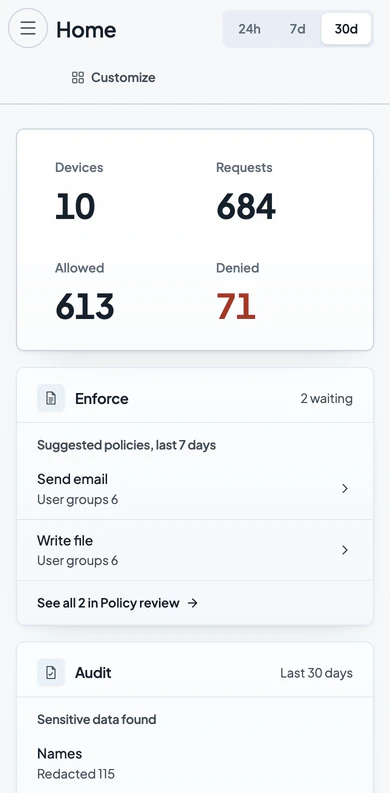
New AI tools arrive faster than an approved list can be updated. Verillian records each request on agency devices, so you see what staff use.

What is shadow AI in an agency?
Shadow AI is any AI tool your staff use that nobody approved. It covers staff pasting work into consumer chatbots, AI features switched on inside software approved for something else, and agents that call AI services with no one at the keyboard.
Staff reach for these tools because they work, and new ones arrive faster than an approved list can be updated. A ban sends the use out of sight, and the record of it disappears.
How does Verillian find and control it?
Verillian sits on each staff device, between the person and the AI. It works at the device, so there is nothing to set up inside any AI tool.
Each request to an AI service is recorded under the person assigned to the device and matched to its provider, such as ChatGPT or the Anthropic API. Your policy is checked before the request leaves, and the decision is allowed, redacted or denied.
The AI tools staff pick up on their own land in the same record.
The record shows which AI tool each request went to. Your data rules apply, like this resident's email, replaced before it left. You can then decide what each AI tool may do, or stop one provider.

What does your administrator see?
The Activity list shows each request with the person, the device, the AI service, the model and the decision. Filter by provider to see every request that went to one AI tool.
Open a request to read what was sent to the AI and the reply. Records are append only: they cannot be altered or deleted from the console or the record.

What happens when you block an AI tool?
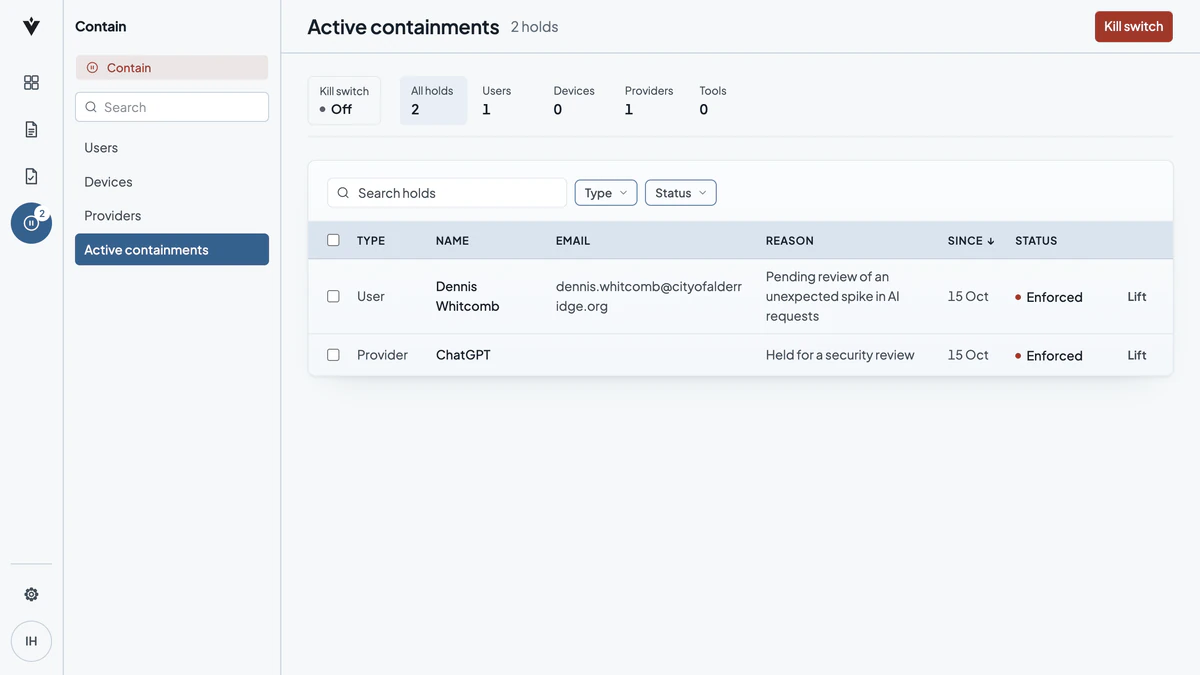
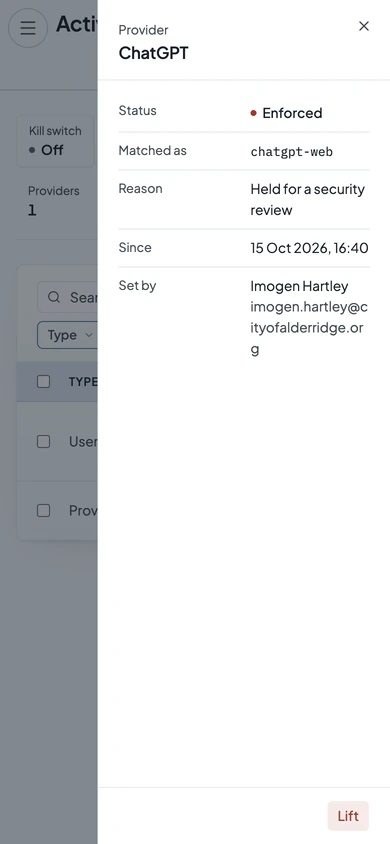
Put a hold on the provider. The next request to it is refused, and everyone else keeps working.
The hold shows its reason, who set it and when, such as “Held for a security review”. An administrator lifts it from the same screen when the review is done.
Setting and lifting a hold are both recorded. A denied request is recorded too, with the person, the device, the AI service and the policy that applied.


See what your staff already use.